We do not send your precious materials somewhere else! You retain copyright on all your personal materials.
FilmFix
226 W. Ojai Ave., Ste 101 #455
Ojai, CA 93023
Phone: (805) 640-8883
Super 8 Conversion Specialist
Would you like a highly personal experience with a specialist handling your films? Consider choosing us!
What makes us different:
Our "small-print" for starters. It is simply shocking to see how many competitors conceal malicious intent in their "small print." They hide the fact that it is they who will retain the copyright of your converted personal footage. This way they can sell it, later, on any platform. They can also keep it - indefinitely. We do not do that. You will retain the copyright of your film and treasured family memories, and we return to you everything that you send to us!
We are a small company - a two person husband-and-wife team who cares and knows your material is irreplaceable and beyond priceless.
We keep up with technology. It's a necessity in order to stay in business and it keeps us on the cutting edge. (Our communication is more old-fashioned. Imagine this: We use email, a landline phone, and don't text.)
We have years of experience and thousands of happy customers - at our FilmFix in Switzerland, as well!
Last but not least - we've been told over and over again that our prices are very fair. (In fact, former customers have said that considering what we offer, and the level of service we provide, we should raise our prices.)
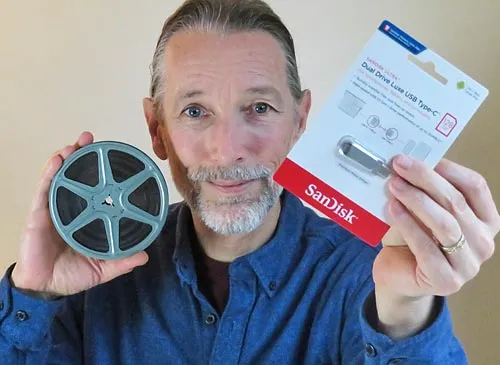
Most often, I am asked to deliver your film conversion on a convenient USB stick!
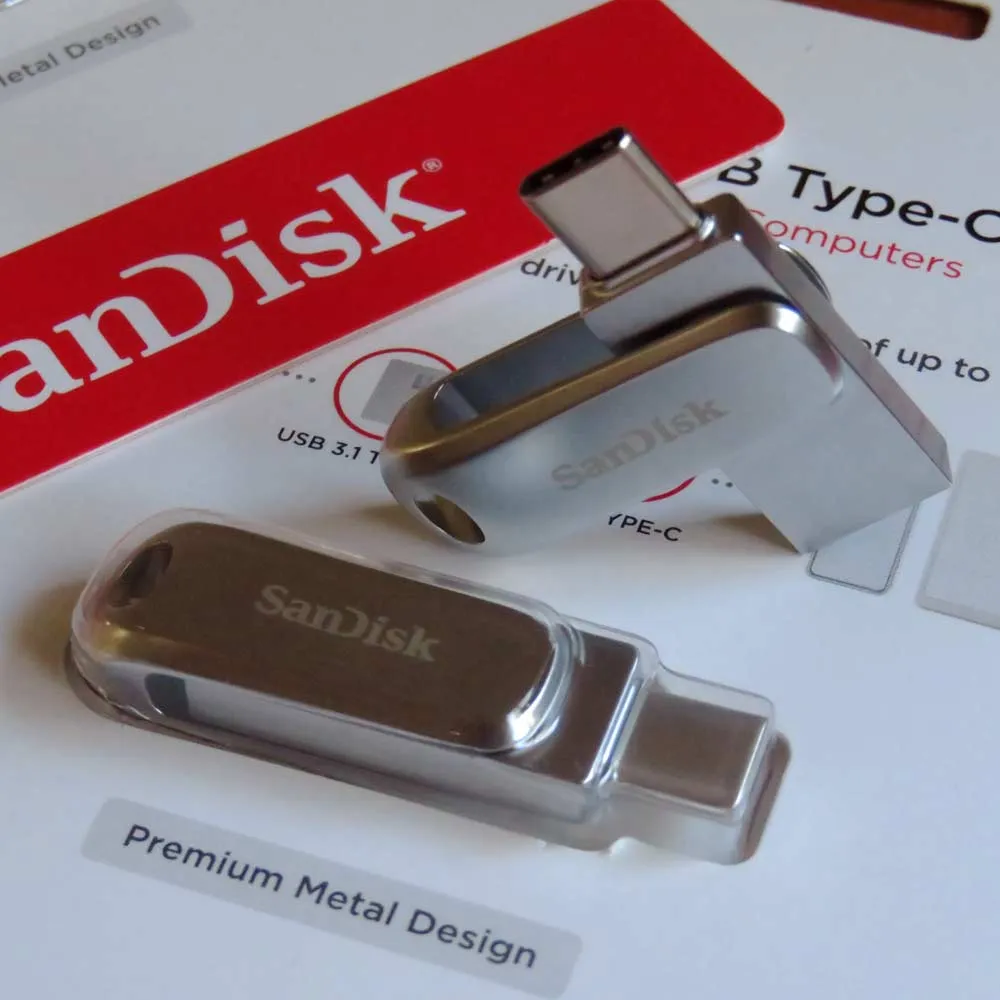
This versatile, high quality 3.1 USB stick swivels! It offers both Type-A and Type-C ports and works on most devices.
You're one step away from finding out what it costs for us to help you with your special conversion project. The detailed options are helpful, and exciting, to most of our customers! If you'd rather have our help in figuring an estimate, please just call! (And if we don't answer right away, leave a message as we're nearby. Thank you.)
Local Film Conversion Service
While staying local is nice, sometimes it's in your best interest to branch out and find the professional experts who specialize in this type of transfer. Converting 8mm film -- the right way -- is highly technical and requires specialized, professional-level equipment in order to achieve the best outcome.
Super-8 Film Transfer with Sound
We are different: If your film has sound, it will be included in your transfer at no additional cost. Some transfer houses charge extra for sound; some charge a lot more for it!
What else makes us different:
Our "small-print" for starters. It is simply shocking to see how many competitors conceal malicious intent in their "small print." They hide the fact that it is they who will retain the copyright of your personal footage. This way they can sell it, later, on any platform. They can also keep it - indefinitely. We do not do that. You will retain the copyright of your film and treasured family memories, and we return to you everything that you send to us!
We are a small company - a two person husband-and-wife team who cares and knows your material is irreplaceable and absolutely priceless.
We keep up with technology. It's a necessity in order to stay in business and it keeps us on the cutting edge. (Our communication is more old-fashioned: We use email, a landline phone, and don't text. Imagine that?)
We have years of experience and thousands of happy customers - at our FilmFix in Switzerland, as well!
Last but not least - we've been told repeatedly that our prices are very fair. (In fact we've been told that considering what we offer, and the level of service we provide, we should raise our prices.)
The most often requested target media when transferring your Super 8 films - a USB stick
Our customers are very pleased with our film with sound transfers. We must say – we're quite pleased with them, too!
This versatile type of 3.1 USB stick swivels. It offers both Type-A and Type-C ports and works on most devices.
You're one step away from finding out what it costs for us to help you with your special transfer project. The detailed options are helpful, and exciting, to most of our customers! If you'd rather have our help in figuring an estimate, please just call! (And if we don't answer right away, leave a message as we're not far away. Thank you.)
Local Film Transfer Service
While staying local is nice, sometimes it's in your best interest to branch out and find the professional experts who specialize in this type of transfer. Transferring 8mm film with sound -- the right way -- is highly technical and requires specialized, pricey equipment in order to achieve the best outcome.
Professional VHS-tape digitization
We digitize your family-footage VHS tapes to a file which is versatile and can be played back on any device, including: modern TVs, tablets, phones, and of course your computer. Bonus: We provide one file per tape and your files can be edited!
What makes us different than other companies?
Our "small-print" for starters. It is very shocking to see how many competitors conceal malicious intent in their "small print." They hide the fact that it is they who will retain the copyright of your personal footage. This way they can sell it, later, on any platform. They can also keep it - indefinitely. We do not do that. You will retain the copyright of your film and treasured family memories, and we return to you everything that you send to us!
We are a small company - a two person husband-and-wife team that cares and knows your material is irreplaceable and absolutely priceless.
We keep up with technology. It's a necessity in order to stay in business and it keeps us on the cutting edge. (Our communication is more old-fashioned: We use email, a landline phone, and don't text. Imagine that?)
We have years of experience and thousands of happy customers! We also have a special way to handle moldy video tapes, while most companies don't.
Last but not least - we've been told repeatedly that our prices are very fair. (In fact we've been told that considering what we offer, and the level of service we provide, we should increase our prices.)
The most favored media is a highest quality USB stick.
Are you curious to find out what it would cost? Please scroll down and start a no-strings-attached estimate. (We won't ask for your email address, either.)
High Quality Slide Scanning Service
We specialize in high-end, archival grade slide scans.
What makes us different:
Our "small-print" for starters. It is perfectly shocking to see how many competitors conceal malicious intent in their "small print." They hide the fact that it is they who will retain the copyright of your personal footage. This way they can sell it, later, on any platform. They can also keep it - indefinitely. We do not do that. You will retain the copyright of your treasured memories, and we return to you everything that is sent to us!
We are a small company - a two person husband-and-wife team who cares and knows your material is irreplaceable and completely priceless.
We keep up with technology. It's a necessity in order to stay in business and it keeps us on the cutting edge. (Our communication is more of the old-fashioned type: We use email, a landline phone, and don't text. Imagine that?)
We have years of experience and thousands of happy customers!
Last but not least - we've been told repeatedly that our prices are very fair. (In fact we've been told that given what we offer, and the level of service we provide, we should raise our prices.)
We only use the best quality storage media.
We are proud of the exceptional results we achieve, and our customers are very pleased with the highly detailed approach to our slide digitization process.
Are you curious to find out what it would cost? Just scroll down and start a simple, no strings attached estimate.
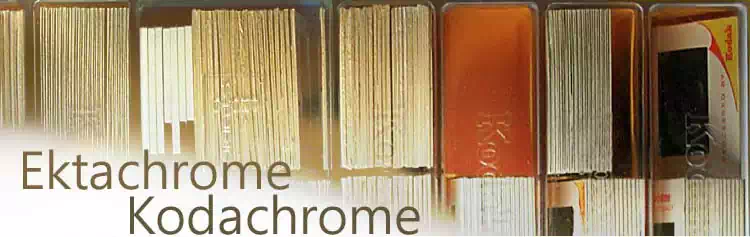
We do: Kodachrome, Ektrachrome, and any other slides which are housed in a cardboard or plastic frame.
Professional Super-8 Film Transfer
We specialize in high-quality, reasonably priced, Super-8 (with or without sound) and 8mm film transfer, onto any modern media.
What makes us different:
Our "small-print" for starters. It is simply shocking to see how many competitors conceal malicious intent in their "small print." They hide the fact that it is they who will retain the copyright of your personal footage. This way they can sell it, later, on any platform. They can also keep it - indefinitely. We do not do that. You will retain the copyright of your film and treasured family memories, and we return to you everything that you send to us!
We are a small company - a two person husband-and-wife team who cares and knows your material is irreplaceable and absolutely priceless.
We keep up with technology. It's a necessity in order to stay in business and it keeps us on the cutting edge. (Our communication is more old-fashioned: We use email, a landline phone, and don't text. Imagine that?)
We have years of experience and thousands of happy customers!
Last but not least - we've been told repeatedly that our prices are very fair. (In fact we've been told that considering what we offer, and the level of service we provide, we should raise our prices.)
Our most often requested target media: a USB stick
In short: We are proud of the beautiful transfers we perform, and our customers are often in awe when they view the improvements I've made to their original material. A good part of that 'magic' happens during my manual color grading work.
Are you curious to find out what it would cost? Just scroll down and start a no-strings-attached estimate.
Includes Chromatic Aberration Fix The benefit of the software we use is it fixes chromatic aberrations. This improves the flawed image outer edges, thus eliminating the common “rainbow glow” of the flawed high contrast edges -- due to using inexpensive camera lenses.



 Phone: (805) 640-8883